










There's nothing more annoying than sitting in your living room, trying to relax, and noticing your lights flickering. Or worse—you're running a business and customers keep mentioning that your outdoor lighting is strobing like a disco ball. Flickering lights aren't just irritating; they can signal serious electrical problems, cause eye strain and headaches, and make your property look unprofessional.
The good news? Most flickering light problems have straightforward solutions. Some you can fix yourself in minutes, while others might require professional help or a lighting upgrade. Either way, you don't have to live with the flicker.
In this guide, we'll walk through everything you need to know about flickering lights: what causes them, how to diagnose the problem, step-by-step fixes you can try, and when it makes sense to upgrade to modern LED lighting that eliminates flicker issues for good.
Why Do Lights Flicker? Understanding the Root Causes
Before you can fix a flickering light, you need to understand what's causing it. Flickering happens when the electrical current flowing to your light fluctuates or gets interrupted. This can occur for dozens of reasons, ranging from harmless to potentially dangerous.
Loose Bulbs and Poor Connections
The most common cause of flickering is also the easiest to fix: a loose bulb. When a bulb isn't screwed in tightly, the electrical connection becomes intermittent. Every vibration or temperature change can cause the connection to break and reconnect, creating that annoying flicker.
Similarly, loose wiring connections in the fixture itself can cause flickering. Over time, wire connections can loosen due to thermal expansion and contraction, vibration, or just poor initial installation.

Incompatible Dimmer Switches
If you've recently switched to LED bulbs but kept your old dimmer switch, you've probably noticed flickering. Traditional dimmer switches were designed for incandescent bulbs and use a different technology than LED-compatible dimmers. When you try to dim an LED bulb with an old dimmer, the result is often flickering, buzzing, or lights that won't dim smoothly.
This is one of the most common issues people face when upgrading to LED lighting, and it's completely fixable with the right dimmer switch.
Voltage Fluctuations
When large appliances kick on—your air conditioner, refrigerator, or washing machine—they draw a lot of power. This sudden demand can cause a brief voltage drop in your home's electrical system, making lights flicker momentarily.
Occasional flickering when major appliances start is usually normal. But if it happens frequently or the flicker lasts more than a second or two, you might have an undersized electrical service or wiring issues that need professional attention.
Poor Quality or Failing Bulbs
Not all LED bulbs are created equal. Cheap, low-quality LEDs often use inferior drivers (the electronic component that regulates power to the LED chips) that can cause flickering even under normal conditions. As bulbs age, their internal components can also degrade, leading to flicker that gets worse over time.
This is especially common with bargain-bin LEDs or bulbs from unknown manufacturers. You get what you pay for, and saving a few dollars on cheap bulbs often means dealing with flicker, poor color quality, and short lifespans.
Electrical Service Issues
Sometimes the problem isn't in your home at all—it's with the electrical service from your utility company. Voltage fluctuations from the grid, problems with the transformer serving your property, or issues with the service entrance can all cause flickering throughout your entire home or building.
If all your lights flicker at the same time, or if neighbors are experiencing similar issues, the problem is likely with the utility service rather than your internal wiring.
Overloaded Circuits
When too many devices share a single circuit, the electrical load can exceed what the circuit is designed to handle. This creates voltage drops that manifest as flickering lights, especially when multiple devices are running simultaneously.
This is common in older homes where electrical systems weren't designed for modern power demands, or in situations where people have added lots of devices without upgrading their electrical service.

How to Diagnose Your Flickering Light Problem
Before you start fixing things, you need to figure out exactly what's causing the flicker. Here's a systematic approach to diagnosing the issue.
Step 1: Identify the Pattern
Pay attention to when and how the flickering occurs. Is it constant or intermittent? Does it happen when certain appliances turn on? Is it just one light or multiple lights? Does it affect lights throughout your home or just in one area?
A single flickering light usually indicates a problem with that specific fixture or bulb. Multiple lights flickering together suggests a circuit or service issue. Flickering that coincides with appliance use points to voltage fluctuations or overloaded circuits.
Step 2: Check the Obvious Stuff First
Start with the simplest possible causes. Turn off the light and let it cool, then check if the bulb is screwed in tightly. Try the bulb in a different fixture to see if the flicker follows the bulb or stays with the fixture. If you have spare bulbs, swap them out to rule out a defective bulb.
These simple checks take just a few minutes and solve the problem more often than you'd think.
Step 3: Test Different Loads
Turn on the flickering light, then systematically turn on other devices and appliances in your home. Note whether the flicker gets worse, stays the same, or changes pattern. This helps identify if you're dealing with an overloaded circuit or voltage fluctuation issue.
Step 4: Check Your Electrical Panel
With the power off, open your electrical panel and look for any loose connections, signs of overheating (discoloration or burning smell), or tripped breakers. If you're not comfortable doing this, skip to calling an electrician—electrical panels can be dangerous if you don't know what you're doing.
Step 5: Measure Voltage (If You Have the Tools)
If you have a multimeter, you can measure the voltage at the flickering fixture. In the US, you should see around 120 volts for standard circuits. Readings significantly below this (under 110V) or above (over 125V) indicate voltage problems that need professional attention.

DIY Fixes for Common Flickering Light Problems
Once you've diagnosed the issue, here are the fixes you can try yourself.
Fix #1: Tighten the Bulb
Turn off the light and let the bulb cool completely. Then firmly screw the bulb clockwise until it's snug. Don't overtighten—you should feel resistance when it's properly seated, but forcing it can damage the socket or bulb base.
Turn the light back on and see if the flicker is gone. If this fixes it, you're done. If not, move to the next fix.
Fix #2: Replace the Bulb
Even if the bulb looks fine, it might be defective or failing. Replace it with a known good bulb—preferably a quality LED from a reputable manufacturer. Cheap bulbs are often the culprit in flickering issues.
When choosing replacement bulbs, look for ones specifically rated as "flicker-free" or with high-quality drivers. The few extra dollars you spend on quality bulbs will save you headaches down the road.
Fix #3: Upgrade Your Dimmer Switch
If the flickering only happens when dimming, you need an LED-compatible dimmer switch. Turn off the power at the breaker, remove the old dimmer, and install a new LED dimmer following the manufacturer's instructions.
Make sure the dimmer is rated for the total wattage of all bulbs on that circuit. A 150W dimmer controlling five 15W LED bulbs (75W total) will work fine, but trying to control ten bulbs (150W) would overload it.
Fix #4: Clean the Socket Contacts
Turn off the power and remove the bulb. Look inside the socket for corrosion, dirt, or damage. If the center contact tab is pushed down too far, carefully pry it up slightly with a flathead screwdriver (with power OFF).
Use a dry cloth or fine sandpaper to clean any corrosion from the contacts. This improves the electrical connection and can eliminate flickering caused by poor contact.
Fix #5: Tighten Fixture Connections
Turn off power at the breaker. Remove the fixture cover and check all wire connections. They should be tight and secure under wire nuts. If any feel loose, disconnect them, strip a fresh bit of wire if needed, and reconnect them properly.
This is slightly more advanced than changing a bulb, so if you're not comfortable working with electrical wiring, call an electrician instead.
Fix #6: Redistribute Circuit Loads
If flickering happens when certain appliances run, try plugging those appliances into outlets on different circuits. This spreads the electrical load and can reduce voltage fluctuations that cause flickering.
For permanent solutions, you might need an electrician to add dedicated circuits for high-draw appliances or upgrade your electrical service.
When to Call a Professional Electrician
Some flickering light problems require professional expertise. Don't hesitate to call an electrician if:
All the lights in your home flicker simultaneously. This suggests a problem with your main service entrance, meter, or utility connection—all of which require professional diagnosis and repair.
You smell burning or see scorch marks around fixtures or outlets. This indicates dangerous overheating that could cause a fire. Turn off power to affected circuits immediately and call an electrician.
Flickering is accompanied by dimming lights or frequently tripped breakers. These symptoms together suggest serious electrical system problems that need expert attention.
You've tried the DIY fixes and the problem persists. At this point, the issue is likely in your wiring, panel, or service entrance—areas where mistakes can be dangerous.
You're not comfortable working with electricity. There's no shame in calling a professional. Electrical work can be dangerous if you don't know what you're doing.

The Permanent Solution: Upgrading to Quality LED Lighting
Sometimes the best fix for flickering lights isn't fixing the old lights at all—it's upgrading to modern, high-quality LED fixtures that are engineered to eliminate flicker from the start.
Quality LED lighting uses advanced drivers and power management systems that maintain stable light output even when voltage fluctuates. They're designed to handle the electrical variations that cause traditional bulbs and cheap LEDs to flicker.
Garage and Workshop Lighting Without Flicker

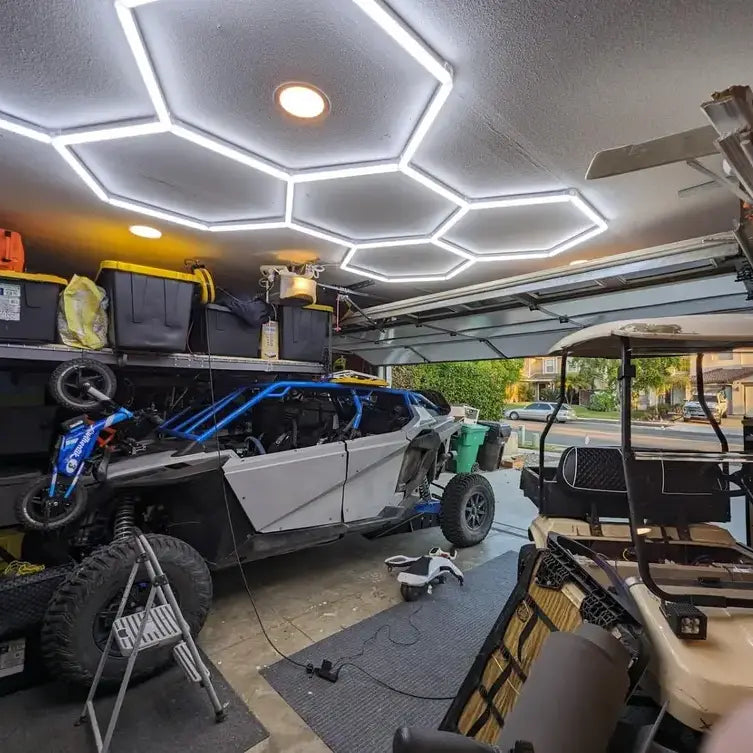
Garages and workshops are notorious for flickering lights, often due to poor wiring, voltage drops from power tools, or cheap fluorescent fixtures. The Hykoont LED Hexagon Garage Lights solve all these problems with modular, flicker-free LED technology.
Available in 5-grid (24,960 lumens, $99.00) or 11-grid (47,840 lumens, $249.00) configurations, these lights use high-quality drivers that maintain stable output even when you're running power tools or other high-draw equipment. The 6500K color temperature provides natural white light that's easy on the eyes during extended work sessions.
The modular design with secure plug-and-lock connectors means you can expand your lighting as needed without worrying about overloading circuits. Each module is independently powered, so even if one develops an issue, the others keep working—no more entire garage going dark from a single failed ballast.
With a 30,000+ hour lifespan and 3-year warranty, these lights represent a permanent solution to garage lighting flicker. Install them once and enjoy decades of stable, flicker-free illumination.
Upgrade Your Garage Lighting →
Commercial-Grade Area Lighting for Critical Applications

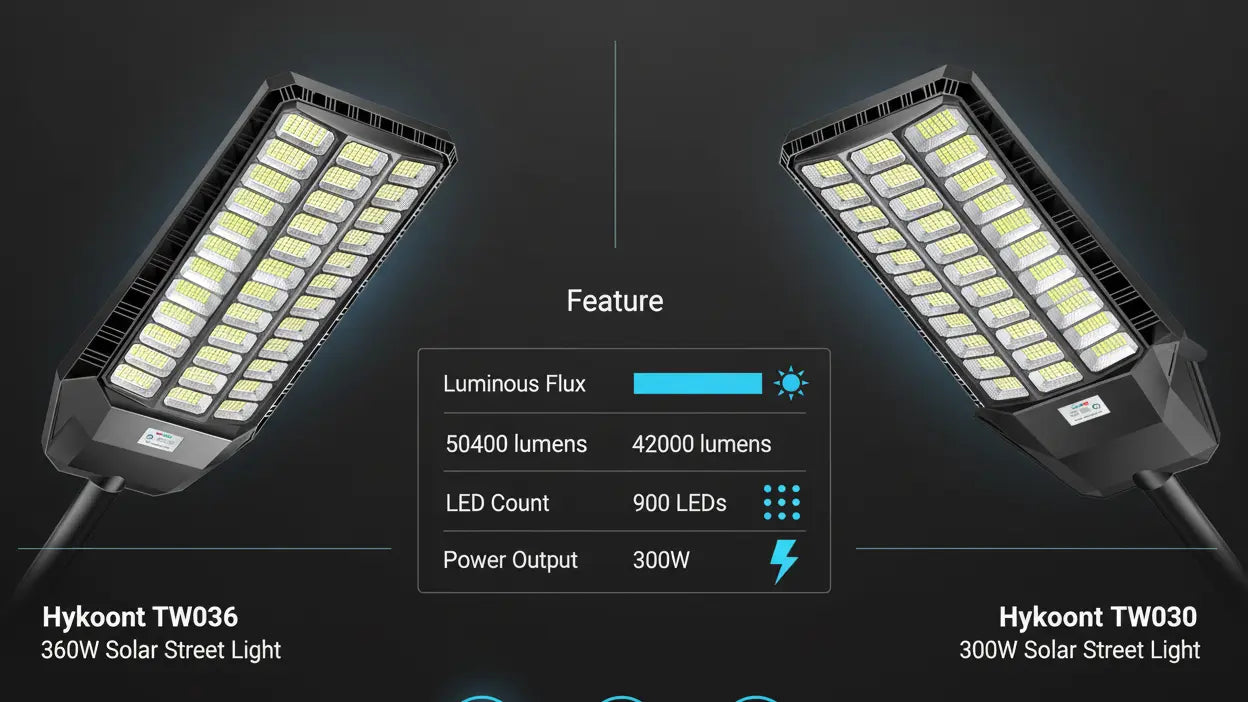
For commercial applications where flickering is absolutely unacceptable—parking lots, building exteriors, security lighting—the Hykoont AR07 300W Tunable LED Area Light delivers professional-grade, flicker-free performance.
At $469.00, this isn't a residential product—it's engineered for applications where lighting failure or flicker could create safety issues or liability concerns. The die-cast aluminum housing and advanced thermal management ensure stable operation in any conditions, from desert heat to arctic cold.
The tunable wattage options (300W, 240W, 200W) let you optimize output for your specific application, while the 150 lumens per watt efficacy means maximum light with minimum energy consumption. The wide input voltage range (AC120-277V / AC120-347V / AC277-480V) handles voltage fluctuations that would cause lesser lights to flicker.
With IP65 wet location rating, 50,000+ hour lifespan, and optional 0-10V dimming that actually works smoothly with LEDs, this is a fixture you install once and forget about. The 5-year limited warranty backs up the quality—Hykoont knows these lights won't flicker or fail.
Preventing Future Flickering Problems
Once you've fixed your flickering lights, here's how to keep them working properly.
Invest in Quality Bulbs and Fixtures
Cheap lighting is expensive in the long run. Quality LED bulbs and fixtures cost more upfront but last longer, perform better, and don't flicker. Look for products from reputable manufacturers with good warranties and proven track records.
When you see LED bulbs for $1 each at the discount store, there's a reason they're so cheap. The drivers are low-quality, the LED chips are inferior, and they'll likely flicker, fail early, or both. Spend a few extra dollars on quality and save yourself the headache.
Use LED-Compatible Dimmers
If you want dimming capability, always use dimmers specifically rated for LED bulbs. Check that the dimmer's wattage rating exceeds the total wattage of all bulbs on the circuit. And make sure your LED bulbs are labeled as "dimmable"—not all LEDs work with dimmers.
Don't Overload Circuits
Be mindful of how many devices you plug into each circuit. If you're constantly tripping breakers or noticing lights dim when appliances run, you're probably overloading circuits. Redistribute loads or have an electrician add circuits to handle your power needs.
Maintain Your Electrical System
Have a licensed electrician inspect your electrical system every few years, especially in older homes. They can identify loose connections, outdated components, and potential problems before they cause flickering or more serious issues.
Address Problems Promptly
Don't ignore flickering lights. What starts as a minor annoyance can indicate developing electrical problems that get worse over time. Fix flickering issues as soon as you notice them, before they turn into bigger, more expensive problems.

Understanding LED Technology and Flicker
To really understand why some LEDs flicker and others don't, it helps to know a bit about how LED technology works.
Unlike incandescent bulbs that glow when electricity heats a filament, LEDs produce light when electricity flows through a semiconductor. This requires converting your home's AC (alternating current) power to DC (direct current) power that LEDs can use. That conversion happens in the driver—the electronic component inside every LED bulb or fixture.
Cheap drivers do a poor job of smoothing out the AC to DC conversion, resulting in rapid fluctuations in light output that we perceive as flicker. Quality drivers use better components and more sophisticated circuitry to maintain perfectly stable DC power, eliminating flicker completely.
This is why two LED bulbs with the same wattage and lumen output can perform so differently. The quality of the driver makes all the difference between smooth, flicker-free light and annoying strobing.
High-quality LED fixtures like the Hykoont products mentioned earlier use premium drivers specifically engineered to eliminate flicker. They cost more to manufacture, but the result is lighting that performs flawlessly for years.
The Health Impact of Flickering Lights
Flickering lights aren't just annoying—they can actually affect your health and wellbeing.
Rapid flickering, even when it's too fast to consciously perceive, can cause eye strain, headaches, and fatigue. Some people are more sensitive to flicker than others, but prolonged exposure affects everyone to some degree.
In work environments, flickering lights have been linked to reduced productivity, increased errors, and higher stress levels. In retail settings, flickering can make products look less appealing and create an unprofessional atmosphere that drives customers away.
For people with certain medical conditions—migraines, epilepsy, or autism spectrum disorders—flickering lights can trigger serious symptoms. This is why flicker-free lighting is increasingly recognized as an important accessibility consideration.
The good news is that modern, quality LED lighting eliminates these concerns. Flicker-free LEDs provide stable, comfortable illumination that doesn't stress your eyes or brain, even during extended exposure.
Cost-Benefit Analysis: Fix vs. Replace
When facing flickering lights, you have to decide whether to fix the existing setup or upgrade to new fixtures. Here's how to think about that decision.
If the fix is simple—tightening a bulb, replacing a bulb, or swapping a dimmer switch—the choice is obvious. Spend a few minutes or a few dollars and solve the problem.
But if you're dealing with multiple flickering fixtures, old technology, or recurring problems, upgrading often makes more financial sense than repeatedly fixing old equipment.
Consider this: if you're spending $50-100 having an electrician come out to troubleshoot flickering every year or two, you could instead invest that money in quality LED fixtures that won't flicker and will last 15-20 years. The upfront cost is higher, but the long-term value is much better.
Plus, modern LEDs use 75-80% less energy than old incandescent or halogen lights. The energy savings alone can pay for the upgrade within a few years, after which you're saving money every month while enjoying better, flicker-free lighting.
Frequently Asked Questions
Why do my LED lights flicker when turned off?
This usually happens when there's a small amount of electricity still flowing to the light, often due to a switch with an indicator light, a dimmer switch, or induced current from nearby wiring. The LED driver tries to operate on this tiny current, causing brief flashes. Solutions include installing a bypass capacitor, using a different switch, or choosing LED bulbs specifically designed to handle residual current.
Can flickering lights cause a fire?
Flickering itself doesn't cause fires, but the underlying electrical problems that cause flickering can be fire hazards. Loose connections create resistance and heat, which can ignite surrounding materials. If you notice flickering accompanied by burning smells, warm outlets or switches, or scorch marks, turn off power to that circuit immediately and call an electrician.
Why do my lights flicker only when it's windy?
Wind-related flickering usually indicates a problem with the electrical service entrance where power lines connect to your home. Wind causes the lines to move, creating intermittent connections. This is a utility company issue—contact them to inspect and repair the service entrance connections. Don't try to fix this yourself as it involves high-voltage lines.
Is some flickering normal with LED bulbs?
No, quality LED bulbs should never flicker under normal conditions. If your LEDs flicker, it indicates either low-quality bulbs with poor drivers, incompatible dimmer switches, or electrical system issues. Properly designed LED lighting with quality components provides completely stable, flicker-free illumination.
How can I tell if flickering is dangerous?
Dangerous flickering is usually accompanied by other warning signs: burning smells, warm outlets or switches, buzzing sounds, frequently tripped breakers, or lights that dim significantly when appliances run. If you notice any of these symptoms along with flickering, turn off power to affected circuits and call an electrician immediately. Isolated flickering in a single fixture is usually not dangerous, but widespread flickering throughout your home warrants professional inspection.
Will a voltage stabilizer fix flickering lights?
A voltage stabilizer can help if flickering is caused by voltage fluctuations from the utility grid or large appliances. However, it won't fix problems caused by loose connections, bad bulbs, incompatible dimmers, or internal wiring issues. Diagnose the root cause before investing in a stabilizer—it's not a universal solution.
Why do only some of my LED bulbs flicker?
Different LED bulbs have different quality drivers and components. Even bulbs with the same wattage and appearance can perform very differently. If only certain bulbs flicker, they likely have inferior drivers that can't handle normal voltage variations. Replace them with quality bulbs from reputable manufacturers, and the flickering should stop.
Can I use LED bulbs with my old dimmer switch?
Old dimmer switches designed for incandescent bulbs usually don't work well with LEDs, causing flickering, buzzing, or limited dimming range. You need a dimmer specifically rated for LED bulbs. These use different technology to control LED drivers properly. Also ensure your LED bulbs are labeled "dimmable"—not all LEDs work with dimmers.
How long should LED lights last before flickering starts?
Quality LED bulbs and fixtures should last 25,000-50,000 hours (10-20+ years of typical use) without developing flicker. If LEDs start flickering within the first few years, they're either low-quality products or there's an electrical system issue. Quality LEDs from reputable manufacturers should maintain stable, flicker-free performance throughout their entire lifespan.
What's the difference between flickering and strobing?
Flickering is rapid, irregular variation in light output—the light seems to pulse or waver. Strobing is regular, rhythmic flashing at a consistent rate. Both are caused by electrical issues, but strobing often indicates a more severe problem with the driver or power supply. Neither is normal for quality LED lighting, and both should be addressed.
Final Thoughts: Don't Live With the Flicker
Flickering lights are more than just an annoyance—they're a sign that something isn't right with your lighting or electrical system. The good news is that most flickering problems have straightforward solutions, whether that's tightening a bulb, replacing a dimmer switch, or upgrading to quality LED fixtures.
Start with the simple fixes: check bulb tightness, swap bulbs, and verify connections. If those don't solve the problem, consider whether it's time to upgrade to modern LED lighting that's engineered to eliminate flicker from the start.
Quality LED fixtures like the Hykoont LED hexagon garage lights, and AR07 area lights represent a permanent solution to flickering problems. They use advanced drivers and quality components that maintain stable output regardless of voltage fluctuations or environmental conditions. Yes, they cost more than cheap alternatives, but the flicker-free performance, energy savings, and decades-long lifespan make them a smart investment.
Don't settle for flickering lights. Whether you fix your existing setup or upgrade to better technology, you deserve lighting that works properly—stable, comfortable, and reliable illumination that enhances your space rather than detracting from it.
Ready to eliminate flickering for good?
Have questions about fixing your specific flickering light problem? Drop a comment below and we'll help you troubleshoot. And if you've successfully fixed flickering lights, share your experience to help others dealing with the same issue!





Leave a comment
This site is protected by hCaptcha and the hCaptcha Privacy Policy and Terms of Service apply.