











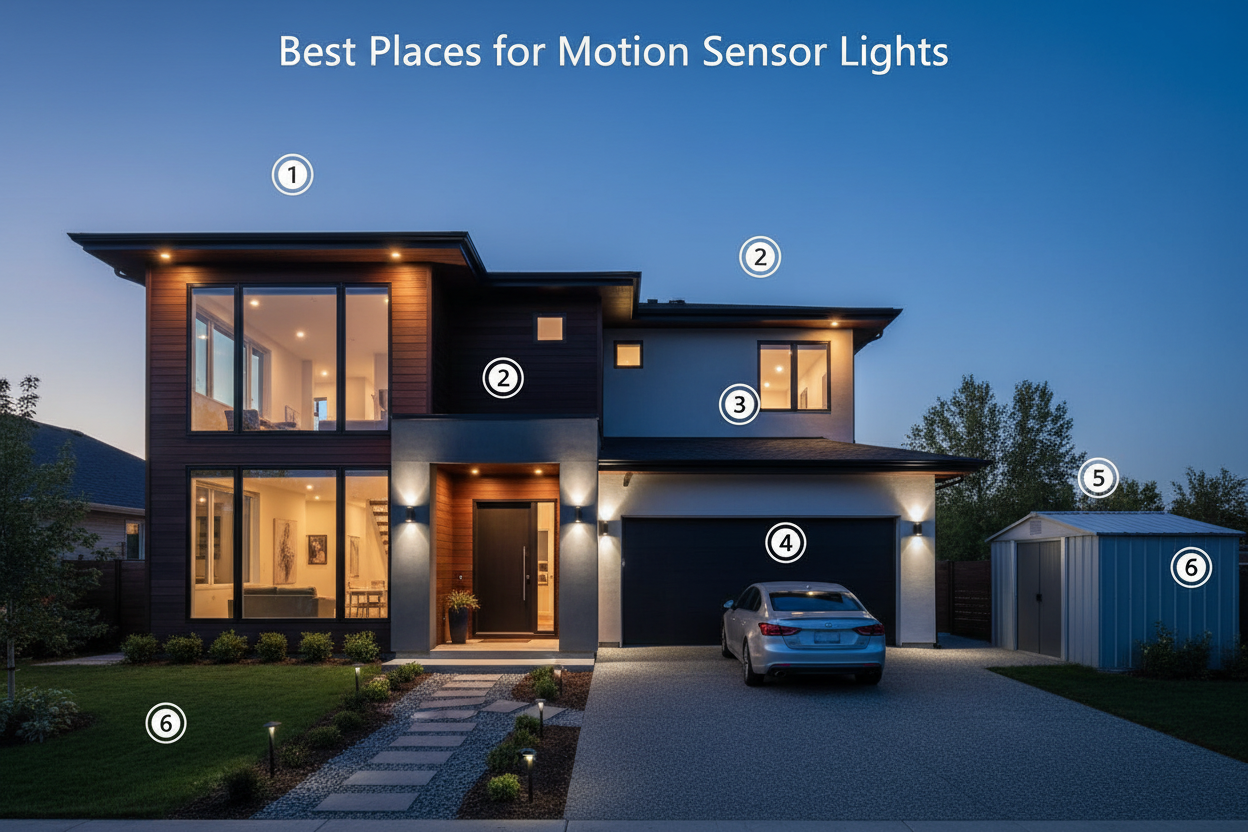
Solar motion sensor lights have become one of the most popular outdoor lighting solutions for homeowners, property managers, and businesses alike. They're energy-efficient, easy to install, require no wiring, and automatically activate when movement is detected—making them ideal for driveways, pathways, parking lots, backyards, and security applications.
But like any technology, solar motion sensor lights can develop problems over time. A light that won't turn on, triggers constantly for no reason, flickers unpredictably, or drains its battery in hours can quickly go from a convenience to a frustration. The good news: the vast majority of these issues have straightforward causes and equally straightforward fixes.
In this comprehensive troubleshooting guide, we'll walk through 10 of the most common problems with solar motion sensor lights, explain exactly why they happen, and give you step-by-step solutions to get your lights working reliably again. We'll also cover preventive maintenance best practices and help you understand when it's time to upgrade to a higher-quality fixture.
How Solar Motion Sensor Lights Work: A Quick Overview
Before diving into troubleshooting, it helps to understand the basic components of a solar motion sensor light and how they interact:
- Solar panel: Converts sunlight into electrical energy during daylight hours. Panel size and efficiency directly determine how much energy is stored each day.
- Battery: Stores the energy collected by the solar panel. Battery capacity (measured in mAh or Ah) determines how long the light can operate at night.
- LED light source: The actual light-emitting component. Modern LEDs are highly efficient and long-lasting—typically rated for 50,000+ hours.
- Motion sensor: Detects movement within a defined range and angle. Most solar lights use either PIR (Passive Infrared) sensors, which detect body heat, or radar sensors, which detect movement via microwave signals. Radar sensors are generally more accurate and less prone to false triggers.
- Light sensor (photoresistor): Detects ambient light levels to determine when it's dark enough to activate the light. This enables dusk-to-dawn operation.
- Controller/driver: The electronic brain that manages charging, discharge, motion detection logic, and operating modes.
When any of these components malfunctions or is improperly configured, problems arise. Let's go through each common issue systematically.
Problem 1: Motion Sensor Light Won't Turn On
This is the most reported issue with solar motion sensor lights, and it has several potential causes ranging from simple (a dirty solar panel) to more serious (a failed battery or controller).
Possible Causes
- Depleted or failed battery: If the battery hasn't received adequate charge—due to cloudy weather, poor panel placement, or battery age—the light won't have enough power to activate.
- Dirty or obstructed solar panel: Dust, bird droppings, pollen, or debris on the panel surface can reduce charging efficiency by 20–50%.
- Insufficient sunlight exposure: The panel may be shaded by trees, eaves, or nearby structures for much of the day.
- Transport/storage mode: Many solar lights ship with a pull tab or switch that disables the battery to prevent discharge during shipping. If this hasn't been removed or switched, the light won't function.
- Faulty or misaligned motion sensor: If the PIR or radar sensor is damaged or pointing in the wrong direction, it won't trigger the light.
- Daytime operation attempt: Most solar motion sensor lights are designed to operate only at night. The built-in light sensor prevents activation during daylight hours.
Step-by-Step Solutions
- Check for a shipping tab or power switch. Look for a small pull tab on the battery compartment or a power switch on the unit. Remove the tab or switch the unit on.
- Test in darkness. Cover the solar panel with your hand or a cloth to simulate nighttime conditions. If the light activates, the light sensor is working correctly and the issue is simply that it's daytime.
- Clean the solar panel. Wipe the panel surface with a damp cloth and mild detergent. Rinse and dry thoroughly. Even a thin film of dust can meaningfully reduce charging efficiency.
- Reposition the solar panel. Ensure the panel receives at least 6–8 hours of direct sunlight daily. Avoid locations shaded by trees, walls, or roof overhangs.
- Charge the battery fully. After repositioning, allow 2–3 full sunny days for the battery to reach a complete charge before testing.
- Inspect and replace the battery. If the light still won't activate after full charging, the battery may have failed. Check the battery type specified in your manual and replace with a matching high-quality lithium or NiMH battery.

Problem 2: Light Turns On for No Reason (False Triggers)
False triggers—where the light activates without any obvious motion—are one of the most common complaints about solar motion sensor lights. They waste battery power and can be disruptive, especially in residential settings.
Possible Causes
- Sensor oversensitivity: The sensitivity dial is set too high, causing the sensor to respond to minor movements like blowing leaves, small animals, or insects flying past.
- PIR sensor detecting heat sources: PIR sensors detect infrared radiation (heat). HVAC vents, vehicle exhaust, or even sunlight reflecting off surfaces can trigger a PIR sensor.
- Radar sensor detecting non-human movement: Radar sensors detect any movement within range—including swaying branches, flags, or passing vehicles on a nearby road.
- Sunrise/sunset light level changes: The light sensor may misinterpret rapid changes in ambient light (such as clouds passing over the sun) as a transition to nighttime, causing the light to activate briefly.
- Electrical interference: Nearby electrical equipment, Wi-Fi routers, or other wireless devices can occasionally interfere with radar-based motion sensors.
Step-by-Step Solutions
- Reduce sensor sensitivity. Locate the sensitivity adjustment dial (usually on the back or bottom of the fixture) and turn it down. Start at the midpoint and adjust from there.
- Reposition the sensor. Angle the sensor away from heat sources, busy roads, or areas with frequent non-human movement (e.g., a tree that sways in the wind).
- Trim nearby vegetation. Cut back branches or shrubs within the sensor's detection zone.
- Adjust the detection angle. Many fixtures allow you to tilt or rotate the sensor head independently of the light. Narrow the detection zone to focus on the specific area you want to monitor.
- Switch to radar sensor technology. If you're using an older PIR-based fixture and experiencing frequent false triggers from heat sources, consider upgrading to a radar-based model, which is less susceptible to thermal interference.
Problem 3: Motion Sensor Light Keeps Flickering
Flickering is both annoying and a warning sign that something is wrong with your fixture's power supply or internal components.
Possible Causes
- Low or failing battery: A battery that can't maintain stable voltage will cause the LED driver to fluctuate, producing visible flicker.
- Poor battery connections: Corrosion or loose contacts in the battery compartment can cause intermittent power delivery.
- Inadequate solar charging: If the panel isn't generating enough power to keep the battery adequately charged, the light may flicker as the battery voltage drops below the driver's minimum operating threshold.
- Failing LED driver: The driver circuit that regulates power to the LEDs can degrade over time, especially in fixtures exposed to temperature extremes or moisture ingress.
- Moisture ingress: Water inside the fixture can cause short circuits or corrosion that leads to flickering. This is particularly common in fixtures with inadequate waterproofing ratings.
Step-by-Step Solutions
- Check battery voltage. Use a multimeter to measure the battery voltage. A significantly depleted battery (below its rated voltage) should be replaced.
- Clean battery contacts. Remove the battery and clean the contacts with a cotton swab dipped in isopropyl alcohol. Ensure the contacts are making firm, clean connections.
- Maximize solar charging. Reposition the panel for maximum sun exposure and clean the panel surface.
- Inspect for moisture. Open the fixture (if accessible) and look for signs of water ingress—condensation, corrosion, or water stains. If moisture is present, dry the fixture thoroughly and seal any gaps with silicone sealant.
- Replace the fixture. If the LED driver has failed, repair is generally not cost-effective. Replace the fixture with a model that has a higher IP rating (IP65 or IP66) to prevent future moisture issues.
Problem 4: Light Fails to Detect Motion
A motion sensor light that doesn't respond to movement defeats its primary purpose—whether that's security, convenience, or energy savings.
Possible Causes
- Sensor misalignment: The sensor is pointing in the wrong direction and not covering the intended detection zone.
- Sensitivity set too low: The sensor may be configured to only respond to large, fast movements, missing slower or smaller targets.
- Obstructions in the detection zone: Walls, pillars, dense vegetation, or other structures can block the sensor's line of sight.
- Detection range mismatch: The person or object is moving outside the sensor's rated detection range.
- PIR sensor limitations: PIR sensors detect heat differential. In very hot weather, when ambient temperature approaches body temperature, PIR sensors can struggle to distinguish people from the background.
- Sensor in "test" or "override" mode: Some fixtures have a test mode that limits detection range, or an override mode that keeps the light on continuously regardless of motion.
Step-by-Step Solutions
- Check operating modes. Review the manual to ensure the fixture is in motion-sensor mode, not a continuous-on or timer-only mode.
- Realign the sensor. Adjust the sensor angle so it covers the intended detection zone. Walk through the area to test coverage.
- Increase sensitivity. Turn the sensitivity dial up incrementally and test after each adjustment.
- Clear obstructions. Remove or trim anything blocking the sensor's field of view.
- Check detection range. Ensure you're moving within the fixture's rated detection range (typically 10–30 feet for residential fixtures, up to 50+ feet for commercial models).
- Consider radar technology. In hot climates where PIR sensors struggle, radar-based sensors offer more reliable detection regardless of ambient temperature.

Problem 5: Short Battery Life
If your solar motion sensor light is dying well before dawn, or not lasting through a full night, battery performance is the culprit—but the root cause may be the battery itself, the charging system, or how the light is being used.
Possible Causes
- Insufficient daily charging: Shorter winter days, overcast weather, or suboptimal panel placement can result in the battery not reaching a full charge before nightfall.
- Aged or degraded battery: Lithium and NiMH batteries degrade over time, losing capacity with each charge cycle. After 2–3 years, a battery may hold only 60–70% of its original capacity.
- High-frequency triggering: If the light is triggered dozens of times per night (by animals, traffic, or wind), the battery drains much faster than in low-traffic environments.
- Brightness set too high: Running the light at maximum brightness continuously consumes significantly more power than using motion-activated high-brightness with a dim standby mode.
- Cold temperatures: Battery capacity drops significantly in cold weather. Lithium batteries can lose 20–30% of their effective capacity at temperatures below 0°C (32°F).
Step-by-Step Solutions
- Optimize panel placement. Ensure the panel receives maximum direct sunlight. Even a 30-minute improvement in daily sun exposure can meaningfully extend nighttime runtime.
- Use motion-activated mode with dim standby. Instead of running at full brightness all night, configure the light to stay at 10–30% brightness when no motion is detected and boost to 100% when triggered. This can extend runtime by 3–5x.
- Reduce sensitivity to minimize false triggers. Fewer unnecessary activations mean less battery drain.
- Replace the battery. If the fixture is 2+ years old and runtime has noticeably decreased, replace the battery with a high-quality equivalent. Opt for lithium batteries over NiMH for better cold-weather performance.
- Choose fixtures with larger battery capacity. When purchasing new fixtures, prioritize models with high-capacity batteries (20,000mAh or more) for reliable all-night performance.

Problem 6: Light Stays On All Night (Won't Turn Off)
The opposite of not turning on—a light that stays on continuously wastes battery power and defeats the purpose of motion-activated operation.
Possible Causes
- Set to continuous/dusk-to-dawn mode: The fixture may be configured to stay on all night rather than activate only on motion.
- Stuck relay or controller: An internal component failure can cause the light to remain in the "on" state.
- Constant motion in the detection zone: If there's continuous movement (a busy road, a fan, or a flag), the sensor keeps retriggering before the timeout period expires.
- Light sensor failure: If the ambient light sensor fails in the "dark" position, the fixture thinks it's always nighttime and stays on.
Step-by-Step Solutions
- Check and change the operating mode. Review the manual and switch from dusk-to-dawn mode to motion-sensor-only mode.
- Reduce the "on" timer duration. Many fixtures allow you to set how long the light stays on after motion is detected (e.g., 10 seconds, 1 minute, 5 minutes). Reduce this to the shortest practical setting.
- Eliminate continuous motion sources. Reposition the sensor away from areas with constant movement.
- Reset the fixture. Power cycle the unit by switching it off, waiting 30 seconds, and switching it back on. This can clear stuck controller states.
Problem 7: Light Doesn't Work in Cold Weather
Solar motion sensor lights that perform well in summer can become unreliable in winter—a common complaint in northern climates.
Possible Causes
- Reduced battery capacity in cold temperatures: As noted above, cold significantly reduces battery performance.
- Snow or ice covering the solar panel: Even a thin layer of snow blocks sunlight and prevents charging.
- Shorter daylight hours: Winter days provide fewer hours of charging time, reducing the energy stored before nightfall.
- Condensation inside the fixture: Temperature fluctuations can cause moisture to condense inside the housing, leading to electrical issues.
Step-by-Step Solutions
- Clear snow and ice from the panel regularly. Use a soft brush or cloth—avoid metal scrapers that can scratch the panel surface.
- Tilt the panel at a steeper angle. A steeper tilt angle helps snow slide off naturally and also improves the panel's angle relative to the lower winter sun.
- Choose lithium battery models. Lithium batteries significantly outperform NiMH in cold weather. If your fixture uses NiMH batteries, consider upgrading to a lithium-battery model.
- Select fixtures with large battery reserves. A fixture with a 25,000mAh+ battery can better absorb the reduced charging and increased discharge of winter conditions.
Problem 8: Solar Panel Not Charging
If the solar panel isn't generating power, the entire system fails regardless of how well the other components work.
Possible Causes
- Panel surface contamination: Dirt, dust, bird droppings, or pollen blocking sunlight.
- Shading: Trees, buildings, or other structures casting shadows on the panel during peak sun hours.
- Panel degradation: Solar panels lose efficiency over time—typically 0.5–1% per year. After 10+ years, a panel may be generating significantly less power than when new.
- Damaged panel: Physical damage (cracks, delamination) from hail, falling debris, or vandalism.
- Faulty charge controller: The internal charge controller that manages power flow from the panel to the battery can fail.
Step-by-Step Solutions
- Clean the panel thoroughly. Use a soft cloth, mild soap, and water. Avoid abrasive materials that can scratch the panel surface.
- Assess and address shading. Use a sun path app (like SunSurveyor or Sun Seeker) to identify shading patterns throughout the day and reposition accordingly.
- Test panel output. Use a multimeter to measure the panel's open-circuit voltage in direct sunlight. Compare to the rated voltage in the spec sheet. Significantly lower readings indicate panel degradation or damage.
- Inspect for physical damage. Look for cracks, yellowing, or delamination of the panel surface. Damaged panels should be replaced.
Problem 9: Remote Control Not Working
Many modern solar motion sensor lights include remote controls for adjusting brightness, sensitivity, and operating modes. Remote control issues are common but usually easy to resolve.
Possible Causes
- Dead remote battery: The most common cause—the remote's battery is depleted.
- Distance or angle issues: The remote signal may not reach the fixture's receiver if you're too far away or at an extreme angle.
- Receiver obstruction: Dirt or debris covering the IR or RF receiver on the fixture.
- Interference: Other wireless devices operating on the same frequency.
Step-by-Step Solutions
- Replace the remote battery. Most remotes use CR2032 or AAA batteries. Replace with a fresh battery and test.
- Reduce distance and improve angle. Stand within 15–20 feet of the fixture and point the remote directly at the receiver.
- Clean the receiver. Wipe the receiver window on the fixture with a clean cloth.
- Re-pair the remote. Some fixtures require the remote to be re-paired after a battery change. Consult your manual for the pairing procedure.
Problem 10: Inconsistent Performance Between Units
If you've installed multiple solar motion sensor lights and they perform inconsistently—some working well, others not—the issue is usually environmental rather than a product defect.
Possible Causes
- Unequal sun exposure: Different installation locations receive different amounts of direct sunlight.
- Varying detection zone conditions: Some units may be positioned near sources of false triggers while others are not.
- Battery variation: Even identical batteries can have slightly different capacities and charge rates.
Solutions
- Audit each installation location individually. Check sun exposure, panel cleanliness, and detection zone conditions for each unit separately.
- Standardize settings. Use the remote control to apply identical sensitivity, brightness, and timer settings to all units.
- Rotate batteries. If some units have older batteries than others, replace all batteries at the same time to standardize performance.
Recommended Solar Motion Sensor Lights for Reliable Performance
Many of the problems described above are significantly less common in high-quality fixtures with robust engineering. Here are three Hykoont solar lights that address the most common failure points with advanced features:
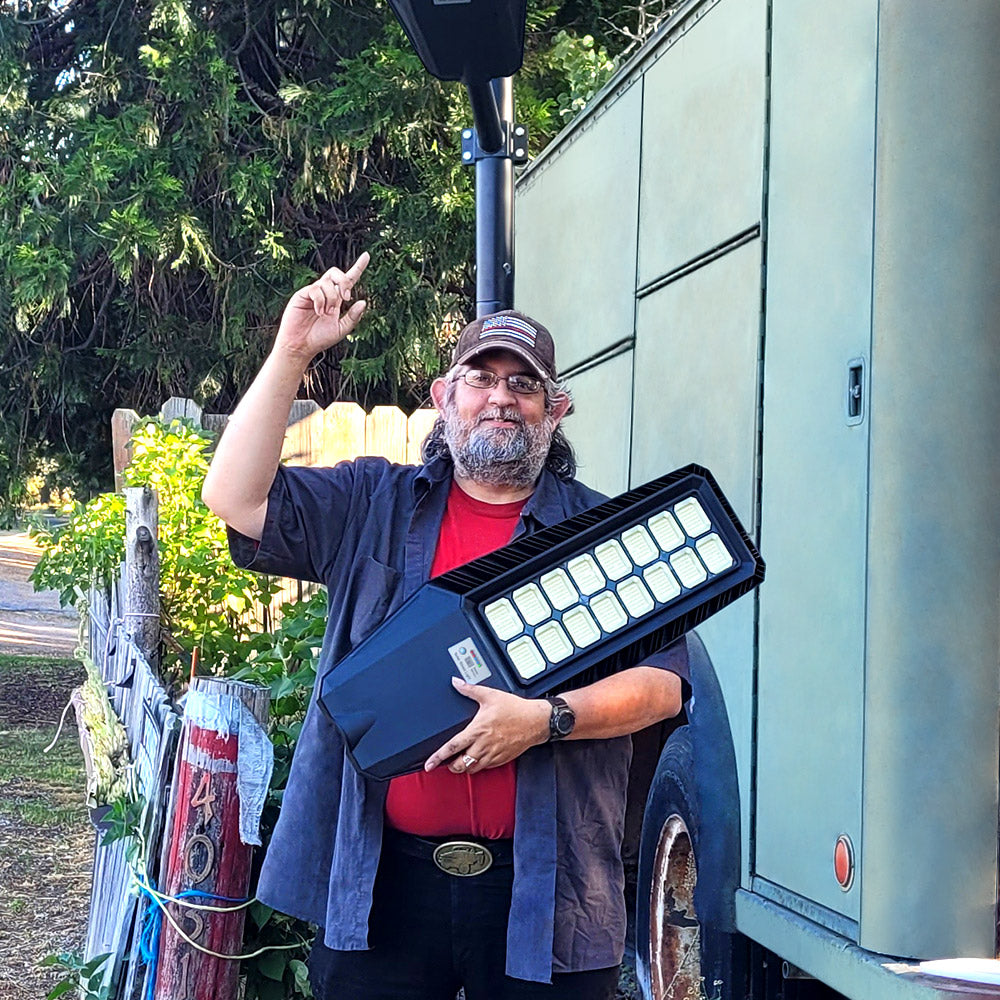
Hykoont TW002C Solar Street Light 160W — Best for Driveways and Pathways
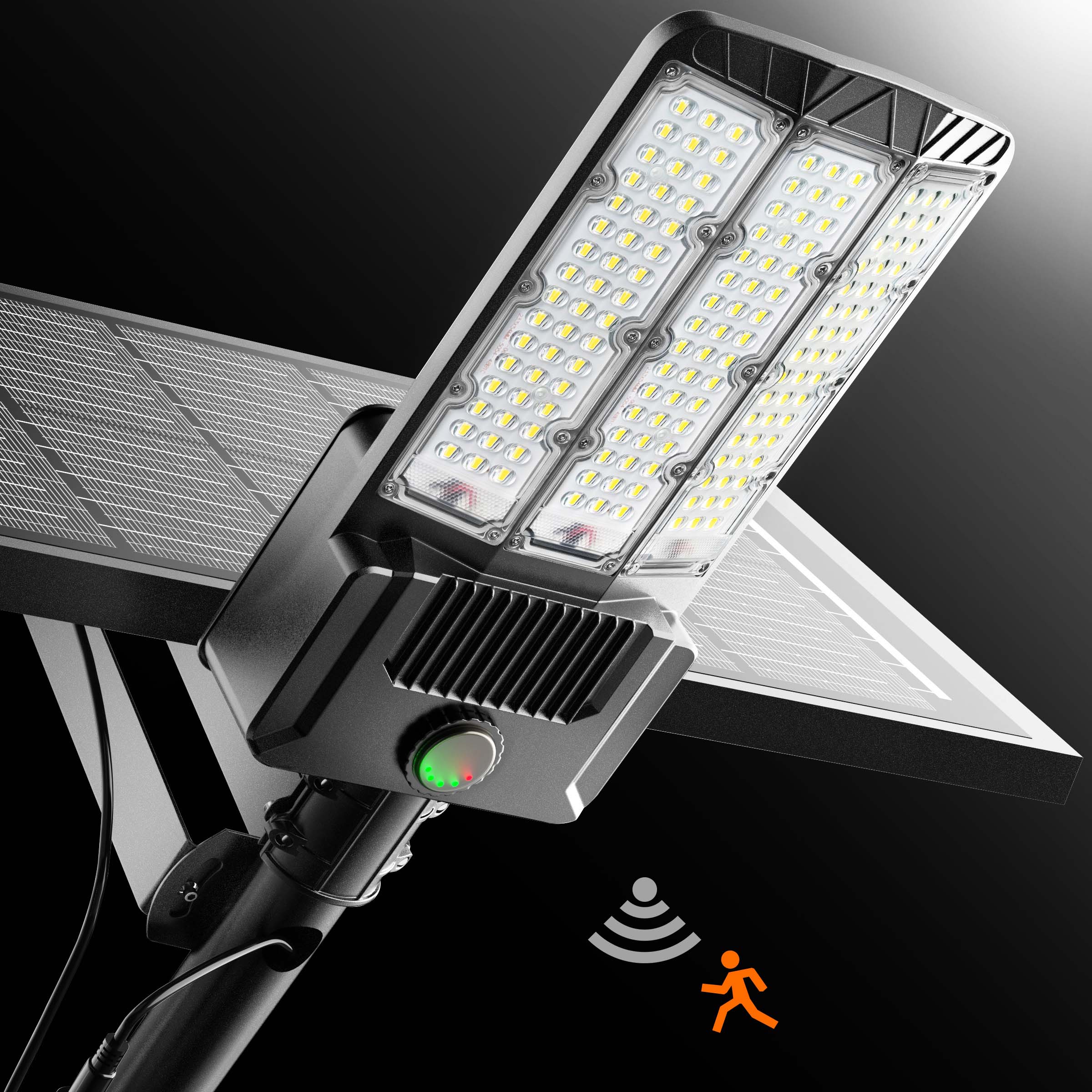
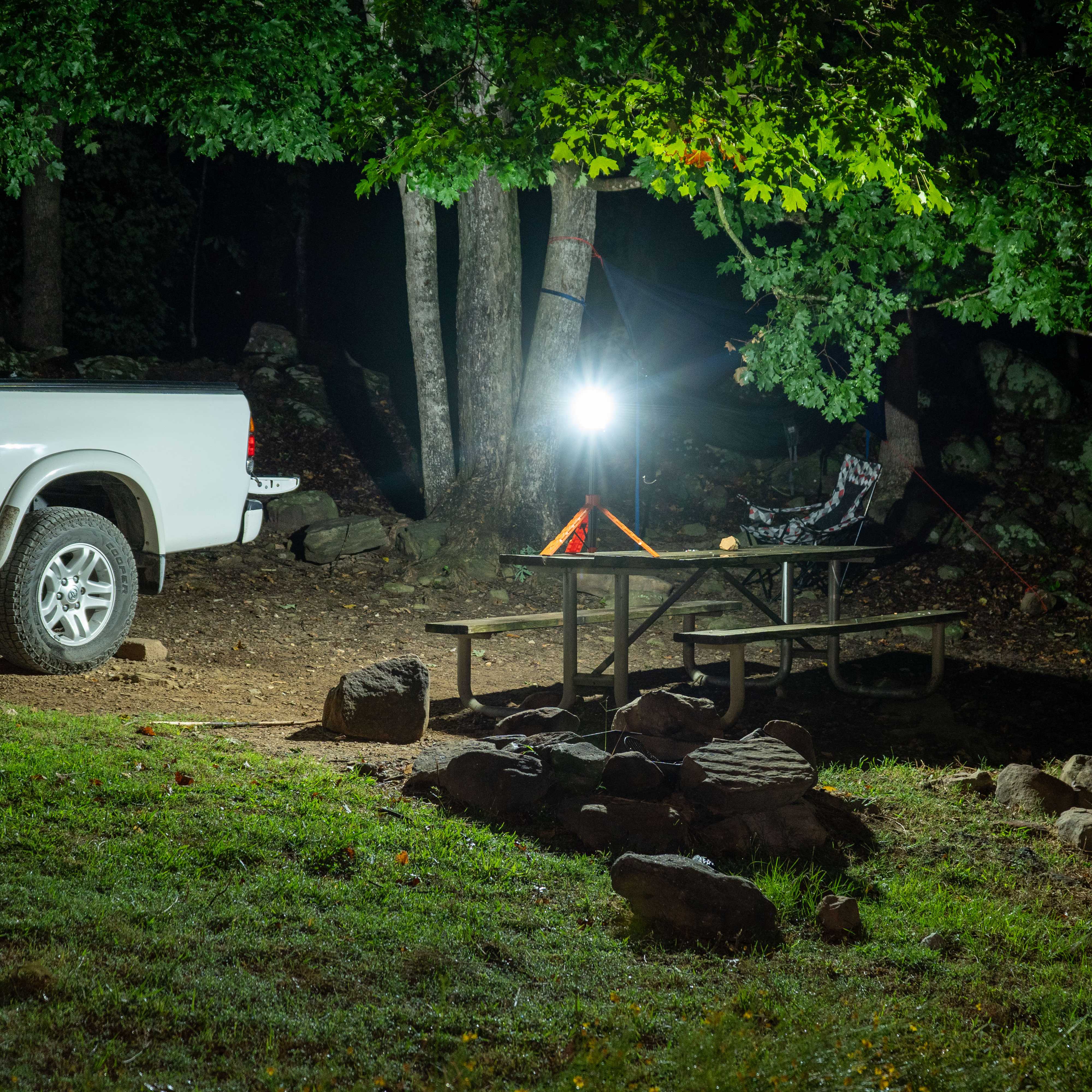
The TW002C is engineered to solve the most common solar light frustrations. Its radar motion sensor (rather than PIR) dramatically reduces false triggers from heat sources, making it far more reliable in warm climates or near HVAC equipment. With 24,000 lumens of output and a battery that provides 15–24 hours of runtime after just 4–6 hours of charging, it handles even short winter days with ease.
Key features that address common problems:
- Radar motion control: Detects movement up to 20 ft with minimal false triggers—no more lights activating for blowing leaves
- Dusk-to-dawn auto mode: Built-in light sensor automatically activates at nightfall and deactivates at dawn
- Customizable timer settings: 2/3/5/6/8-hour timer options via remote control—set it and forget it
- IP66 waterproof rating: Sealed against dust and water jets, preventing moisture ingress that causes flickering
- Remote control: Adjust brightness, sensitivity, and modes without a ladder
Hykoont BM024 160W Solar Street Light (2-Pack) — Best for Parking Lots and Large Areas
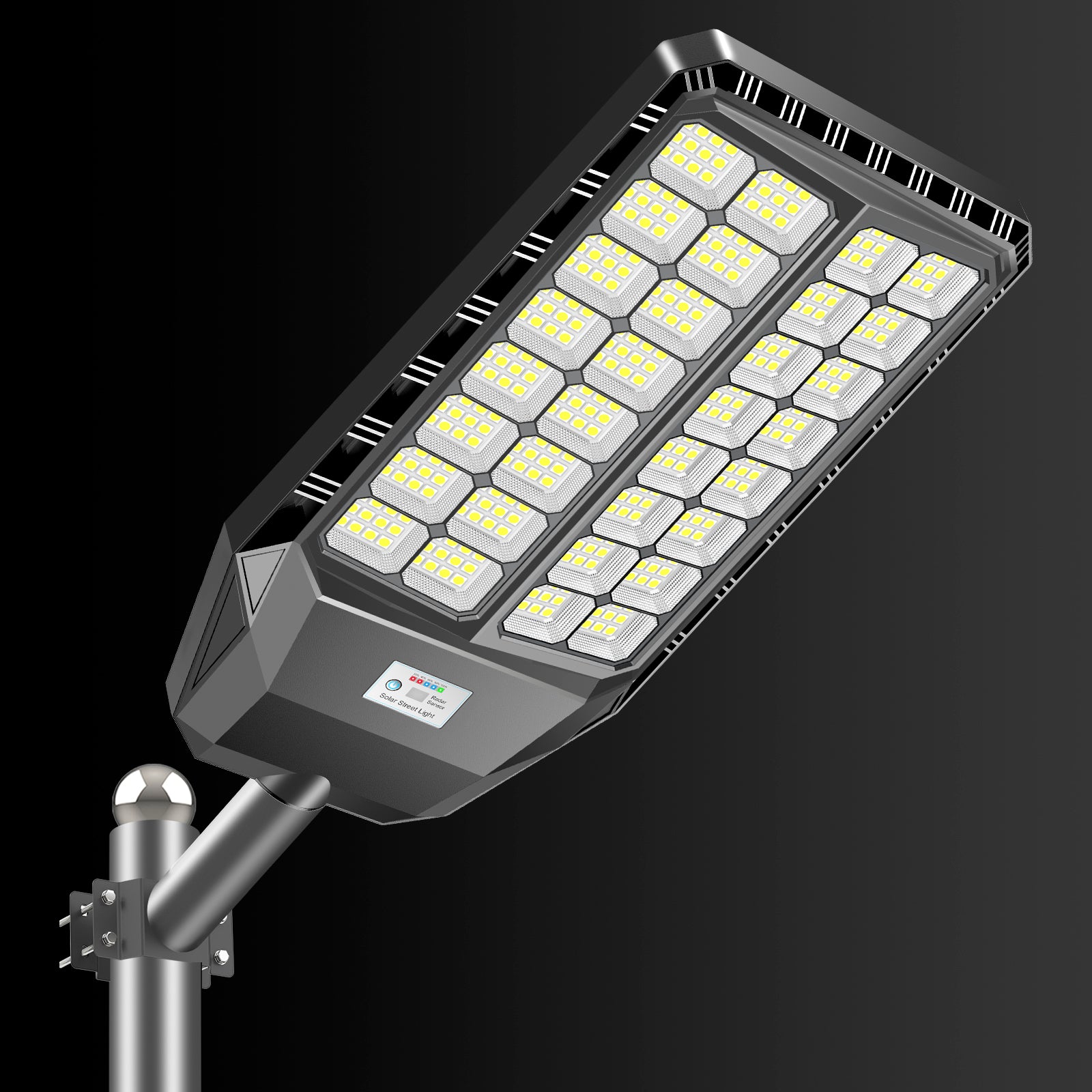
The BM024 is designed for commercial and semi-commercial applications where reliability and coverage are paramount. Its 21,600-lumen output and radar motion sensor make it ideal for parking lots, commercial driveways, and large residential properties. The standout feature for battery life concerns is its 5-level battery capacity display—you can see exactly how much charge remains, eliminating guesswork about why the light isn't performing as expected.
Key features that address common problems:
- 5-level battery indicator: Real-time battery status display (20%–100%) so you always know the charge state
- Automatic brightness adjustment: Boosts to 100% brightness on motion detection, drops to 30% standby—extending battery life significantly
- 6V 24Ah battery: Provides 16–24 hours of runtime after 6–8 hours of charging, with headroom for cloudy days
- Combined [Light + Motion + Timing] mode: The most intelligent operating mode—combines all three triggers for maximum efficiency
- IP66 waterproof: Fully sealed against weather-related failures
- 2-pack value: Consistent performance across both units from the same production batch
Preventive Maintenance Schedule for Solar Motion Sensor Lights
The best way to avoid the problems described in this guide is a simple, regular maintenance routine. Here's a practical schedule:
Monthly
- Wipe the solar panel surface with a damp cloth to remove dust and debris
- Check that the fixture is still securely mounted and hasn't shifted position
- Walk through the detection zone to verify the sensor is still responding correctly
Quarterly
- Inspect the fixture housing for cracks, gaps, or signs of moisture ingress
- Check and clean battery contacts if the battery compartment is accessible
- Trim any vegetation that has grown into the detection zone or is shading the solar panel
- Test all operating modes (motion, dusk-to-dawn, timer) to verify correct function
Annually
- Assess battery performance—if runtime has noticeably decreased, replace the battery
- Inspect wiring and connections for corrosion or damage
- Clean the motion sensor lens with a soft cloth
- Review fixture placement and consider repositioning if surrounding vegetation or structures have changed
When to Replace vs. Repair
Not every problem is worth fixing. Here's a practical framework for deciding when to repair and when to replace:
Repair (DIY) when:
- The issue is a dirty panel, dead battery, or misaligned sensor
- The fixture is less than 2 years old and the problem is clearly environmental
- Replacement parts (batteries, remote controls) are readily available and inexpensive
Replace when:
- The LED driver or controller has failed (flickering that persists after battery replacement)
- The solar panel is physically damaged or has degraded significantly
- The fixture is 3+ years old and experiencing multiple simultaneous issues
- The fixture lacks adequate waterproofing (below IP65) and has suffered moisture damage
- You need better performance than the current fixture can provide (higher lumens, longer range, smarter controls)
Frequently Asked Questions
Why does my solar motion sensor light turn on during the day?
This usually indicates a failing light sensor (photoresistor) that can no longer accurately detect ambient light levels. It can also happen if the light sensor is shaded while the solar panel is in sunlight, creating a mismatch. Try repositioning the fixture so both the panel and the light sensor receive consistent light exposure. If the problem persists, the light sensor has likely failed and the fixture should be replaced.
How long should a solar motion sensor light last?
The LED components typically last 50,000+ hours (15+ years of nightly use). The battery is usually the first component to need replacement, typically after 2–3 years. The solar panel degrades slowly at roughly 0.5–1% per year. With proper maintenance and timely battery replacement, a quality solar motion sensor light should provide 5–10 years of reliable service.
Can solar motion sensor lights work in cloudy climates?
Yes, but performance depends on battery capacity and panel efficiency. Solar panels still generate power on cloudy days—typically 10–25% of their clear-sky output. Fixtures with large battery reserves (20,000mAh+) can handle several consecutive cloudy days without issue. In persistently overcast climates, prioritize fixtures with high-efficiency monocrystalline panels and large batteries.
What's the difference between PIR and radar motion sensors?
PIR (Passive Infrared) sensors detect heat signatures—they respond to the infrared radiation emitted by warm bodies moving through their field of view. They're effective but can be fooled by heat sources (HVAC vents, hot pavement) and struggle in very hot weather when ambient temperature approaches body temperature. Radar sensors emit microwave signals and detect movement by measuring signal reflection changes. They're more accurate, less prone to false triggers from heat sources, and work reliably in all temperature conditions—making them the preferred choice for commercial applications.
How do I reset my solar motion sensor light?
Most fixtures can be reset by switching the power off, waiting 30–60 seconds, and switching back on. Some models have a dedicated reset button. For a factory reset (which restores all settings to default), consult your specific model's manual—the procedure varies by manufacturer.
Conclusion: Troubleshoot Smart, Maintain Regularly, Upgrade When Needed
Solar motion sensor lights are among the most practical and cost-effective outdoor lighting solutions available—but they require a basic understanding of how they work and what can go wrong. The ten problems covered in this guide account for the vast majority of solar light issues reported by homeowners and property managers, and in most cases, the fix is simpler than you might expect.
The key takeaways:
- Most problems trace back to three root causes: insufficient charging (dirty panel, poor placement), battery degradation, or sensor misconfiguration
- Regular maintenance prevents most issues before they become serious—a monthly panel wipe and quarterly inspection goes a long way
- Sensor technology matters: radar sensors offer meaningfully better reliability than PIR in most outdoor environments
- Battery capacity is the most important spec for all-night performance, especially in winter or cloudy climates
- IP66 waterproofing is non-negotiable for any outdoor fixture—moisture ingress is the leading cause of premature fixture failure
If you're experiencing persistent problems with an older fixture, or if you're shopping for new solar motion sensor lights that are engineered to avoid these common issues, explore Hykoont's range of solar lighting solutions. The TW002C and BM024 are designed with the reliability, battery capacity, and smart sensor technology to deliver consistent performance night after night—regardless of season or weather conditions.


Leave a comment
This site is protected by hCaptcha and the hCaptcha Privacy Policy and Terms of Service apply.