



The Monday Morning Light Bulb Moment
Picture this: It's 9 AM on a Monday. Your team shuffles in, coffee in hand, already looking drained. You've got ergonomic chairs, standing desks, even a ping pong table in the break room. But people still complain about headaches, eye strain, and that weird afternoon slump that hits around 2 PM like clockwork.
Here's something most business owners don't realize—your lighting setup could be the silent productivity killer nobody's talking about.
I've walked through hundreds of offices over the years, and I can usually spot the problem within minutes. That harsh fluorescent glare bouncing off computer screens. The dark corners where natural light never reaches. The one-size-fits-all approach that treats a creative studio the same as an accounting firm.
Commercial lighting isn't just about making sure people can see their keyboards. When done right, it actually shapes how your team feels, thinks, and performs throughout the day.

What Human-Centric Lighting Actually Means (Without the Marketing Fluff)
Let's cut through the jargon. Human-centric office lighting is basically about working with your body's natural rhythms instead of against them.
Your brain has this internal clock—scientists call it the circadian rhythm—that responds to light. Bright, cool light in the morning tells your body "time to wake up and focus." Warmer, dimmer light in the evening signals "wind down, it's almost rest time."
Traditional office lighting ignores all of this. It blasts the same harsh, cool-white light from 8 AM to 6 PM, confusing your body's natural signals. That's why people feel wired at their desks but crash the moment they get home.
The fix? Adjustable lighting that mimics natural daylight patterns. Think of it as giving your office a sunrise-to-sunset cycle, even if you're in a windowless space.
The Three Pillars of Better Office Lighting
1. Color Temperature Control
This is where most offices get it wrong. They install 5000K "daylight" bulbs everywhere and call it a day. But your eyes don't want the same light temperature all day long.

Morning hours? Go cooler (4000-5000K) to boost alertness. Afternoon? Dial it down to 3500-4000K for sustained focus without the harsh glare. If your team works late, dropping to 3000K helps prevent that "staring at the sun" feeling that makes it hard to sleep later.
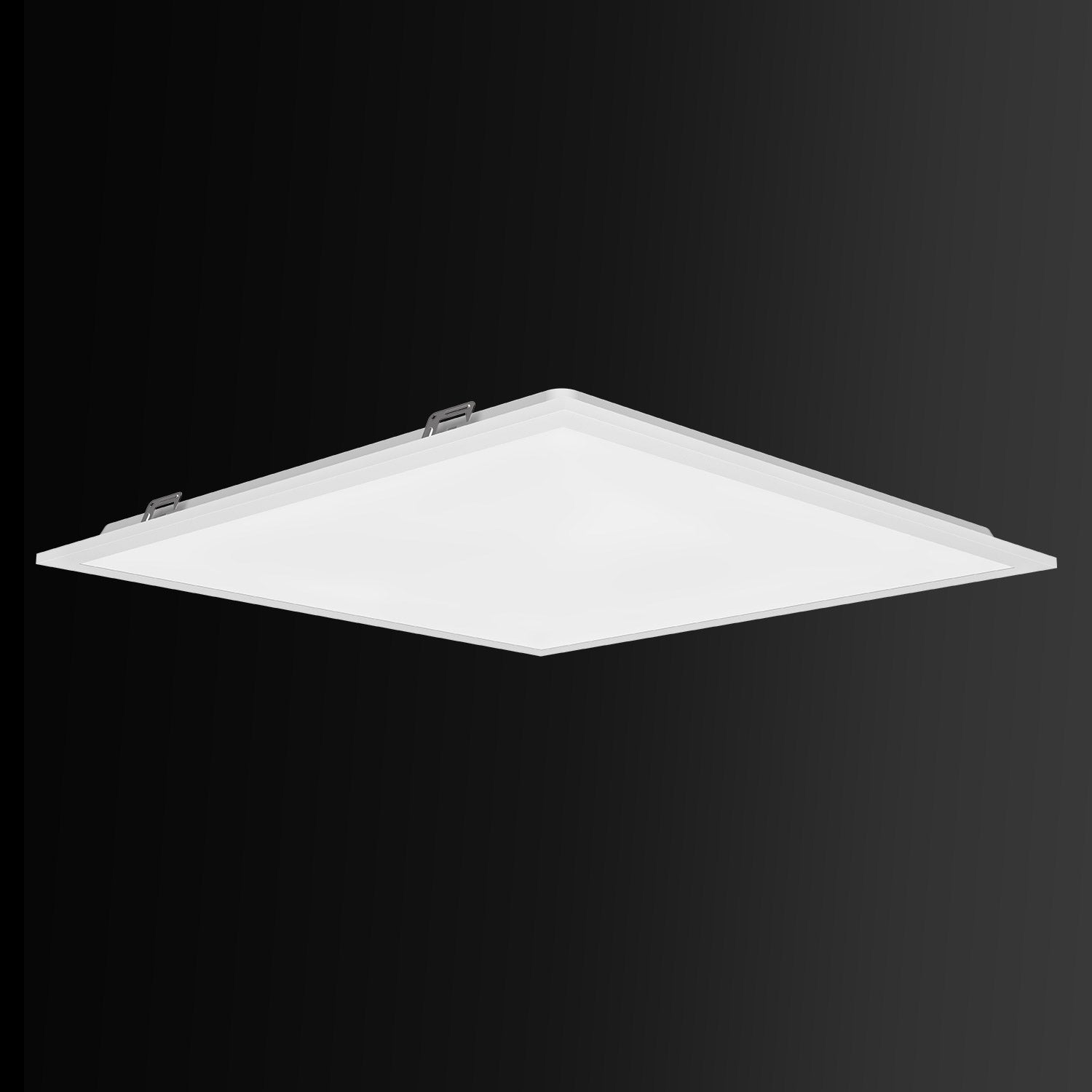
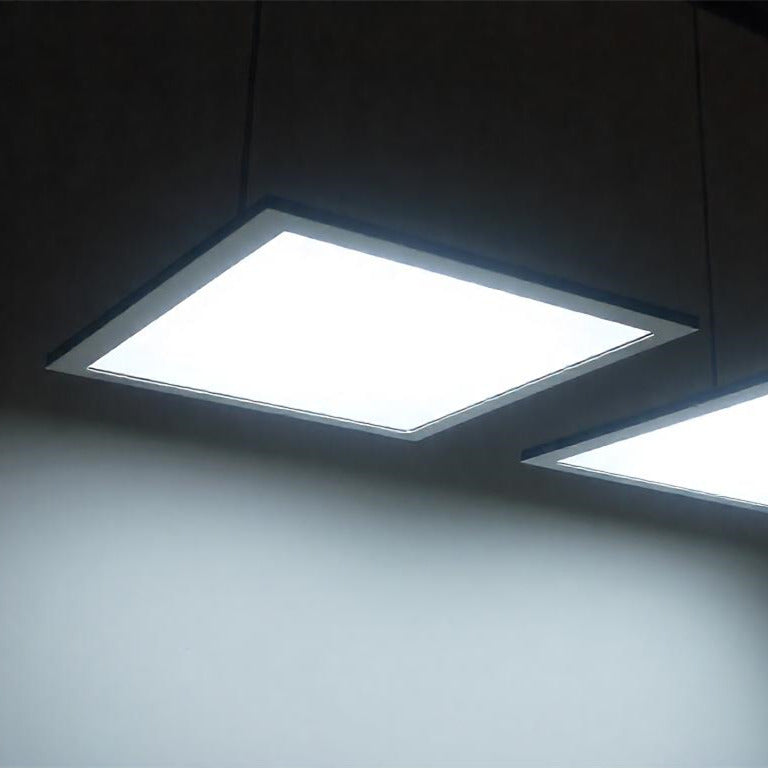
Our Hykoont 2x2FT LED Flat Panel Light ($85-$155) lets you switch between color temperatures on the fly. No electrician needed—just flip a switch on the fixture itself.

2. Adjustable Brightness (Wattage)
Different tasks need different light levels. Reading contracts? You want more lumens. Brainstorming session? Dimmer lighting actually helps creativity flow.
The problem with fixed-wattage fixtures is they force you to choose one brightness level forever. That's like having a car with only one gear.
Look for panels with selectable wattage. The Hykoont 1x4FT LED Flat Panel ($109-$162) gives you three power options: 20W for ambient lighting, 30W for general work, and 40W when you need maximum visibility.

3. Uniform Distribution
Ever notice how some offices have bright spots and dark corners? That's poor light distribution, and it forces your eyes to constantly adjust as you move around.
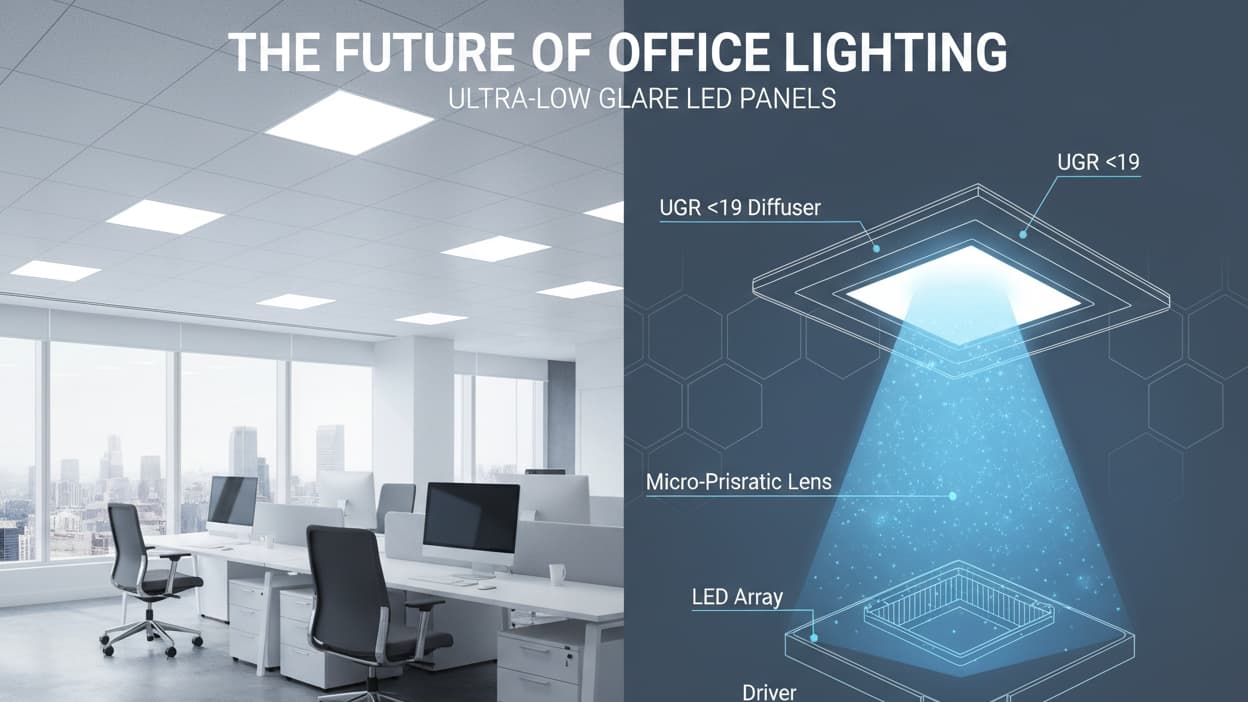
Flat panel lights solve this better than traditional fixtures because they spread light evenly across a wider area. No hot spots, no shadows under your chin during video calls.
For larger conference rooms or open-plan offices, the Hykoont 2x4FT LED Flat Panel ($115-$195) covers more square footage while maintaining that even, comfortable glow.

Real-World Office Lighting Scenarios (And How to Handle Them)
The Open-Plan Dilemma
Open offices are great for collaboration but terrible for lighting. You've got people doing different tasks in the same space—some on video calls, others deep in spreadsheets, someone trying to sketch out ideas on a whiteboard.
The solution isn't one massive overhead light. It's layered lighting zones.
Start with your base layer: evenly distributed panel lights across the ceiling. The Hykoont 2x2FT Pro series ($229) works perfectly here because you can adjust each fixture independently. Set them to 4000K at medium brightness for general work.
Then add task lighting at individual desks. This lets people customize their immediate workspace without affecting everyone else. Some folks need more light, some less—and that's okay.
The Conference Room Challenge
Conference rooms need to do double duty: bright enough for note-taking, but not so harsh that people look washed out on camera.
Here's the trick: install dimmable panels and set them to about 70% brightness for video calls. This gives you enough light to see clearly without creating those unflattering shadows under people's eyes.
For in-person meetings where people are reviewing documents, bump it up to 100%. The Hykoont 1x4FT Pro panel ($239) includes five power settings, so you can fine-tune the exact brightness level that works for your space.

The Windowless Office Problem
Not every office gets natural light. If you're in a basement, interior room, or building with limited windows, your lighting becomes even more critical.
The goal is to simulate natural daylight cycles. Start your day with cooler, brighter light (5000K at higher wattage). Around lunch, shift to 4000K. Late afternoon, drop to 3500K.
You can do this manually with adjustable fixtures, or invest in smart controls that automate the transitions. Either way, you're giving your team's circadian rhythm something to latch onto, even without windows.
The Money Talk: What This Actually Costs
Let's be honest—upgrading your office lighting isn't free. But it's also not as expensive as you might think, especially when you factor in energy savings and productivity gains.
Upfront Investment
For a typical 1,000 square foot office space, you're looking at roughly 8-12 panel lights, depending on ceiling height and layout.
Budget option: Hykoont 2x2FT panels at $85 each = $680-$1,020 for basic coverage
Mid-range: Hykoont 1x4FT panels at $109 each = $872-$1,308
Premium setup: Hykoont 2x2FT Pro series at $229 each = $1,832-$2,748
Add installation costs (usually $50-$100 per fixture if you hire an electrician), and you're looking at a total project cost between $1,500-$4,500 for most small to medium offices.
Ongoing Savings
LED panels use about 60-70% less energy than traditional fluorescent fixtures. For an office running lights 10 hours a day, that's roughly $200-$400 per year in electricity savings.
More importantly, LED panels last 50,000+ hours. That's about 13 years of typical office use. No more replacing bulbs every year, no more maintenance calls.
The real ROI comes from productivity improvements. Studies show that better lighting can boost productivity by 5-15%. For a team of 10 people, that's like getting an extra half-person worth of output. Hard to put a price tag on that, but it's significant.

Installation Tips (From Someone Who's Seen It Go Wrong)
Most office lighting upgrades fail not because of bad products, but because of poor planning. Here's what actually matters:
Measure Twice, Order Once
Don't guess at how many fixtures you need. Use this rough formula: For general office work, you want about 30-50 foot-candles of light. A 40W LED panel typically produces around 4,000-5,000 lumens.
Divide your square footage by 100, then multiply by 3-4. That's your starting point for how many 2x2 panels you'll need. Adjust up for darker surfaces, down for lighter walls and ceilings.
Think About Ceiling Height
Standard 8-9 foot ceilings? You're fine with most panel lights. Higher ceilings (10-12 feet) might need higher wattage or more fixtures to maintain proper light levels at desk height.
For spaces with 12+ foot ceilings, consider linear strip lights like the Hykoont SP07 series ($129) instead of panels. They project light downward more effectively from greater heights.
Don't Forget About Glare
Computer screens and overhead lights don't always play nice together. Position your panels so they're not directly above monitors. Slightly offset placement reduces screen glare while maintaining overall brightness.
If you're stuck with existing ceiling grid positions, look for panels with high-quality diffusers. The UL and DLC certified options (like all the Hykoont panels mentioned here) include better diffusion technology that minimizes harsh reflections.

Beyond the Basics: Advanced Lighting Strategies
Biophilic Design Integration
Here's something interesting: offices that combine good lighting with natural elements (plants, wood textures, water features) see even better results than lighting upgrades alone.
The lighting helps, but when you pair it with greenery and natural materials, you're hitting multiple sensory inputs that tell your brain "this is a healthy environment."
Try this: Set your adjustable panels to 4000K (neutral white) and position them to highlight any plants or natural elements in your space. The slightly warm tone makes greenery look more vibrant and creates a more inviting atmosphere.
Task-Specific Lighting Zones
Not every area of your office needs the same lighting approach. Break your space into zones:
Focus zones (individual desks, quiet areas): 4000-5000K, adjustable brightness, minimal glare
Collaboration zones (meeting rooms, common areas): 3500-4000K, dimmable for different activities
Transition zones (hallways, break rooms): 3000-3500K, lower intensity for visual rest
This zoning approach helps your team's brains shift gears as they move between different types of work.
Seasonal Adjustments
Here's something most people miss: your lighting needs change with the seasons.
Winter months with shorter days? Bump up your morning brightness and extend your "daylight" phase later into the afternoon. This helps combat seasonal affective disorder and keeps energy levels more consistent.
Summer with long, bright days? You can actually reduce artificial lighting intensity during peak daylight hours, saving energy while still maintaining comfortable light levels.
Common Mistakes (And How to Avoid Them)
Mistake #1: Going Too Cool
I see this constantly. Someone reads that 5000K is "daylight" and installs it everywhere. Then everyone complains about the harsh, clinical feel.
Reality check: Natural daylight changes throughout the day. Noon sunlight might be 5500K, but morning and evening light is much warmer. A fixed 5000K setup feels unnatural because it never changes.
Solution: Use adjustable color temperature fixtures and actually adjust them. Start at 4500-5000K in the morning, shift to 4000K midday, drop to 3500K in the afternoon.
Mistake #2: Ignoring CRI
CRI (Color Rendering Index) measures how accurately colors appear under a light source. Cheap LED panels often have CRI ratings below 80, which makes everything look slightly off.
This matters more than you'd think. If you're in a creative field, reviewing product samples, or doing any work where color accuracy matters, low CRI lighting will mess with your perception.
All the Hykoont panels mentioned here have CRI ratings of 80+, with the Pro series hitting 90+. That's the sweet spot for office environments.
Mistake #3: Overlooking Flicker
Some LED lights flicker at frequencies you can't consciously see, but your brain still processes. This invisible flicker contributes to eye strain and headaches.
Look for "flicker-free" or "zero-flicker" specifications. Quality panels use better drivers that eliminate this issue entirely. It's one of those things you don't notice until you experience truly flicker-free lighting—then you can't go back.

The Productivity Connection (What the Research Actually Shows)
Let's talk numbers, because "better lighting improves productivity" sounds like marketing speak until you see the data.
A Cornell University study found that workers in offices with optimized lighting reported an 84% reduction in eyestrain, headaches, and blurred vision. That's not a small improvement—that's transformative.
Another study from the American Society of Interior Designers found that 68% of employees complain about their office lighting. When those same offices upgraded to human-centric lighting systems, absenteeism dropped by 6.5% and productivity increased by an average of 8%.
Think about what an 8% productivity boost means for your business. For a team of 10 people, that's like getting 0.8 additional full-time employees worth of output. For a team of 50, it's like adding 4 people without increasing headcount.
The investment in better lighting typically pays for itself within 12-18 months just from energy savings. Add in the productivity gains, and you're looking at a genuine no-brainer.
Practical Implementation: A 30-Day Rollout Plan
You don't have to upgrade your entire office overnight. Here's a phased approach that minimizes disruption:
Week 1: Assessment and Planning
Walk through your space and note problem areas. Where do people complain about lighting? Which areas feel too bright or too dim? Take photos at different times of day.
Measure your space and calculate how many fixtures you'll need. Order your first batch—I recommend starting with one zone rather than trying to do everything at once.
Week 2: Pilot Installation
Install new lighting in one area—maybe a conference room or a section of your open office. This lets you test the fixtures and get feedback before committing to the full upgrade.
Pay attention to how people respond. Are they adjusting the color temperature? Do they prefer higher or lower brightness? This real-world data will inform your broader rollout.
Week 3: Gather Feedback and Adjust
Survey your team about the new lighting. What do they like? What would they change? Use this input to refine your approach for the remaining areas.
This is also when you'll discover any installation quirks specific to your building—ceiling grid compatibility, electrical capacity, etc.
Week 4: Full Rollout
With lessons learned from your pilot, complete the installation across the rest of your space. Schedule this for a weekend or after hours to minimize disruption.
Create a simple guide for your team explaining how to adjust the fixtures. Most people won't know they can change color temperature or brightness unless you tell them.

Maintenance and Long-Term Care
One of the best things about LED panels is how little maintenance they require. But "low maintenance" doesn't mean "no maintenance."
Quarterly Cleaning
Dust accumulation on panel surfaces can reduce light output by 10-15% over time. Every three months, wipe down your panels with a soft, dry cloth. For stubborn dirt, use a slightly damp cloth—never spray cleaner directly on the fixture.
Annual Inspection
Once a year, check all your fixtures for any signs of discoloration, dimming, or unusual behavior. LED panels should maintain consistent output for years, so any noticeable change might indicate a driver issue.
Most quality panels (like the UL and DLC certified Hykoont fixtures) come with 5-year warranties. If you notice problems within that window, reach out for replacement.
Settings Documentation
This sounds boring, but trust me—document your preferred settings for different times of day and different seasons. When you find the sweet spot, write it down.
This makes it easy to maintain consistency, especially if you have multiple people adjusting fixtures or if you need to replace a panel and want to match the settings.

Future-Proofing Your Lighting Investment
Technology keeps evolving, but you don't want to rip out your lighting every few years. Here's how to make sure your investment lasts:
Choose Modular Systems
Fixtures that use standard ceiling grid sizes (2x2, 1x4, 2x4) are easier to upgrade or replace down the road. You're not locked into proprietary mounting systems.
Prioritize Adjustability
Fixed-output fixtures might be cheaper upfront, but they can't adapt to changing needs. Adjustable wattage and color temperature give you flexibility as your space evolves.
Consider Smart Controls (Eventually)
You don't need smart lighting controls on day one, but choosing fixtures that can integrate with control systems later gives you an upgrade path.
Many businesses start with manual adjustable fixtures, then add automated controls once they've dialed in their preferred settings. This phased approach spreads out costs while still moving toward a more sophisticated system.
The Bottom Line
Here's what it comes down to: your office lighting is either helping your team perform at their best, or it's quietly dragging them down. There's really no middle ground.
The good news? Fixing it isn't complicated or prohibitively expensive. You don't need a complete office renovation or a massive budget. You just need to replace outdated fixtures with modern LED panels that give you control over color temperature and brightness.
Start with one area. See the difference. Then expand from there.
Your team will notice. Their eyes will feel less strained. Those afternoon energy crashes will become less severe. And over time, you'll see it in the work—fewer mistakes, better focus, more consistent output throughout the day.
That's what human-centric lighting actually delivers. Not magic, just biology working the way it's supposed to.
Ready to upgrade your office lighting? Start with our most popular 2x2FT panel and experience the difference adjustable lighting makes.

Frequently Asked Questions
How many lumens do I need for office lighting?
For general office work, aim for 30-50 foot-candles, which translates to about 3,000-5,000 lumens per 100 square feet. Computer-intensive work can go slightly lower (20-30 foot-candles), while detailed tasks like drafting might need 50-75 foot-candles. The beauty of adjustable wattage panels is you can dial in the exact level that works for your specific tasks.
What's the best color temperature for office lighting?
There's no single "best" temperature—it depends on the time of day and task. Morning hours work well with 4500-5000K to boost alertness. Midday, 4000K provides good visibility without harshness. Late afternoon and evening, 3500K is easier on the eyes. This is why adjustable color temperature fixtures are so valuable—you can match the lighting to your needs throughout the day.
Can I install LED panels myself or do I need an electrician?
If you're replacing existing fixtures in a standard ceiling grid, it's often a straightforward swap that doesn't require an electrician. However, if you're adding new fixtures, running new wiring, or working with anything beyond basic replacement, hire a licensed electrician. Safety first, and professional installation ensures everything is up to code.
How long do LED panel lights actually last?
Quality LED panels are rated for 50,000+ hours of use. In a typical office running lights 10 hours per day, 5 days per week, that's about 19 years of service life. In practice, you'll likely see 10-15 years before any noticeable degradation. This longevity is one of the biggest advantages over fluorescent fixtures, which need bulb replacements every 1-2 years.
Will LED panels work with my existing ceiling grid?
Most LED panels are designed to fit standard ceiling grid sizes: 2x2 feet (24"x24") and 2x4 feet (24"x48") are the most common. Measure your existing grid openings before ordering. If you have a non-standard grid or a drywall ceiling, you'll need mounting hardware or a different installation approach—check product specifications or consult with the manufacturer.
Do adjustable panels cost more to operate than fixed panels?
No—adjustable panels actually give you more control over energy consumption. When you run them at lower wattage settings, you use less electricity. A panel with 20W/30W/40W settings uses exactly 20W when set to the lowest option, 30W at medium, and 40W at maximum. You're only paying for the power you actually use.
What's the difference between UL and DLC certification?
UL (Underwriters Laboratories) certification means the fixture meets safety standards—it won't overheat, catch fire, or pose electrical hazards. DLC (DesignLights Consortium) certification focuses on energy efficiency and light quality. DLC-listed products often qualify for utility rebates. For commercial installations, look for both certifications to ensure safety, efficiency, and potential rebate eligibility.
Can better lighting really reduce headaches and eye strain?
Yes, and the research is pretty clear on this. Poor lighting—whether too dim, too bright, or the wrong color temperature—forces your eyes to work harder, leading to fatigue and headaches. Flicker from low-quality fixtures also contributes to eye strain. Upgrading to flicker-free LED panels with appropriate brightness and color temperature can dramatically reduce these issues. Cornell's study showed an 84% reduction in eye strain complaints after lighting upgrades.
How do I know if my current lighting is causing problems?
Listen to your team. Common complaints include headaches (especially in the afternoon), difficulty focusing on screens, feeling tired despite adequate sleep, and general discomfort in the space. Physical signs include people adjusting blinds constantly, using desk lamps even with overhead lights on, or positioning monitors to avoid glare. If you're hearing these complaints, your lighting is probably part of the problem.
What's the ROI timeline for upgrading office lighting?
Energy savings alone typically pay back your investment in 2-3 years. LED panels use 60-70% less electricity than fluorescent fixtures, and they last much longer, eliminating replacement costs. When you factor in productivity improvements (studies show 5-15% gains), the effective ROI can be under 12 months. Plus, there's the intangible benefit of happier, healthier employees—harder to quantify but definitely valuable.
Still have questions? Check out our full range of commercial LED panels or reach out to our team for personalized recommendations based on your specific space.



Leave a comment
This site is protected by hCaptcha and the hCaptcha Privacy Policy and Terms of Service apply.